 Your Tesla recordings
in your pocket.
Plug in the car's USB drive or use your NAS and watch all four cameras at once, with the speed, pedals and steering of every moment. Trim it, blur the plates and share it.
Your recordings
Everything the car recorded, in order
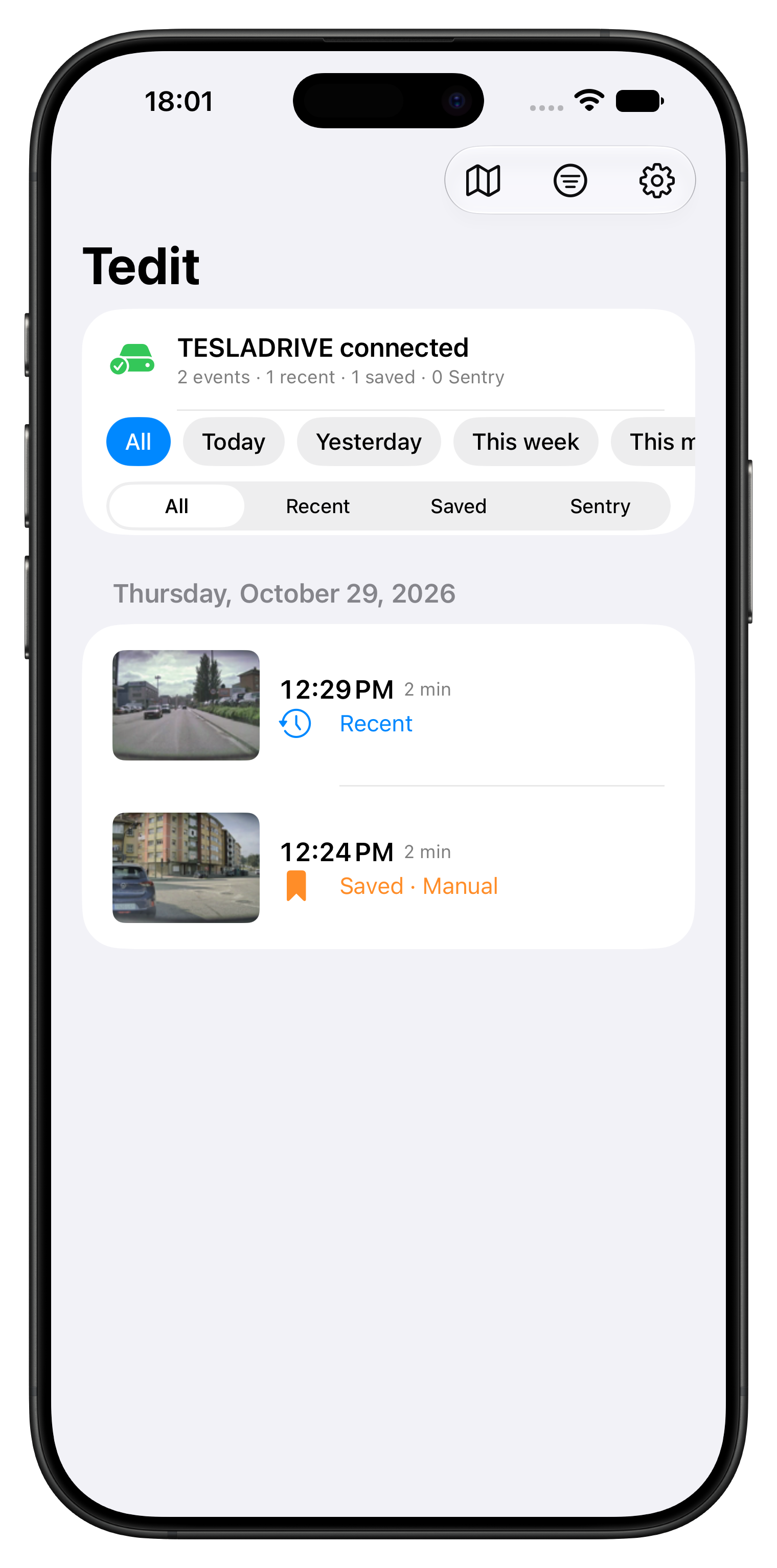
Plug in the drive and Tedit recognizes it on its own. Recent, Saved and Sentry clips show up by day, with thumbnail, length, place and reason. Filter by date, type or event reason.
Watch
All four cameras, in sync
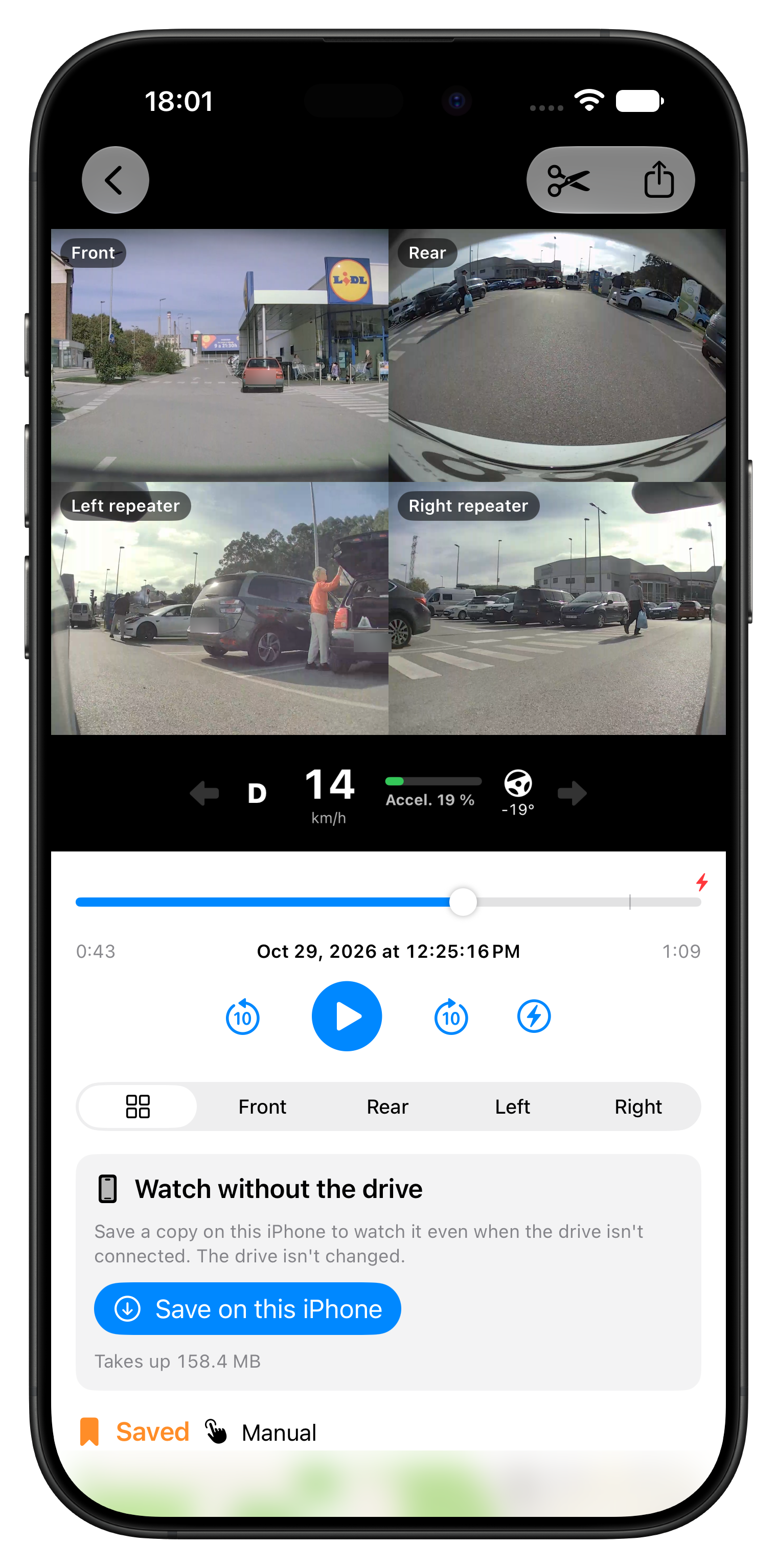
Front, rear and both repeaters in a mosaic that plays together. On top, the speed, gear, accelerator, brake, turn signals, steering wheel and Autopilot of that moment.
Zoom in
Enlarge and read the plate
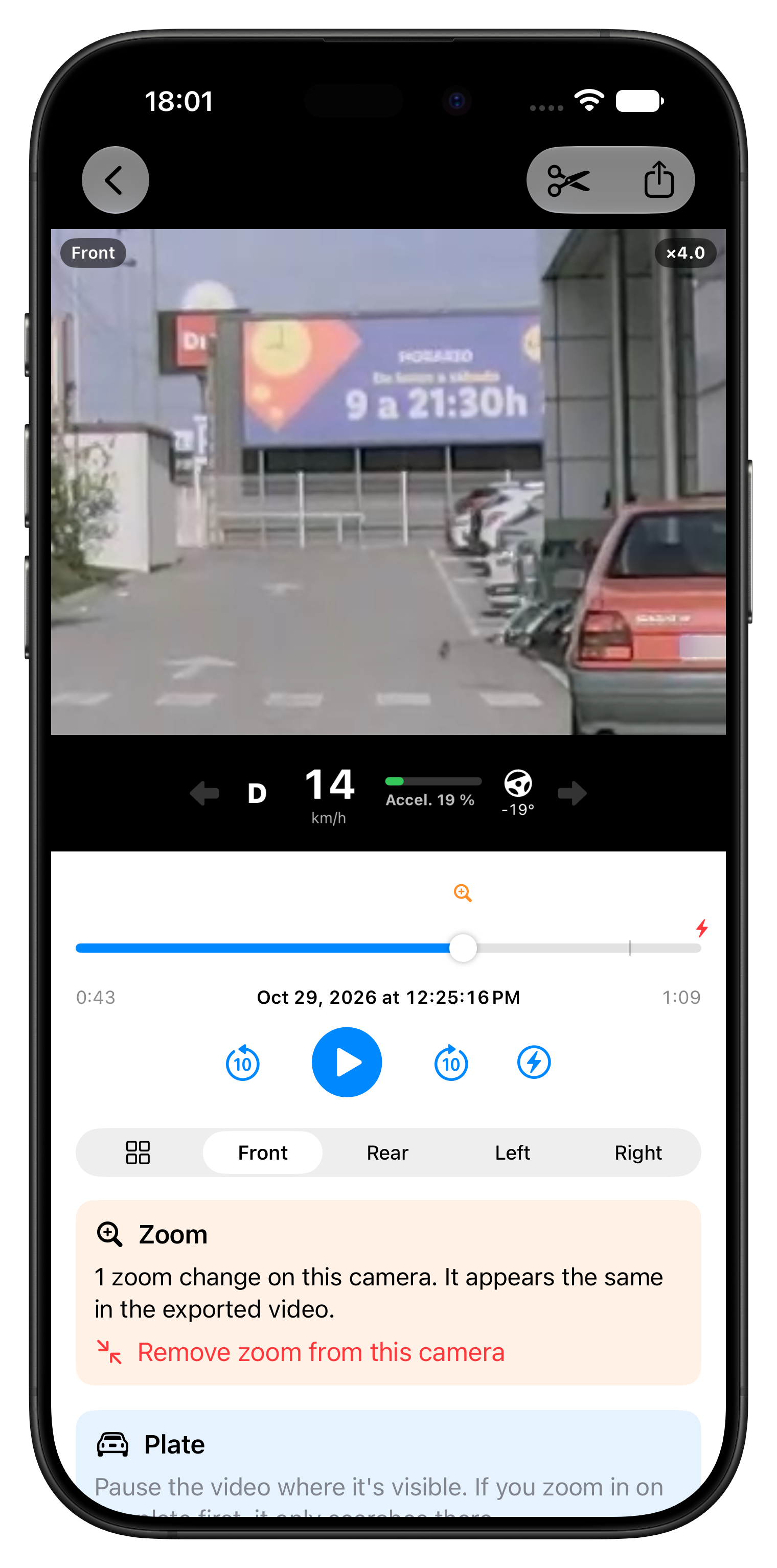
Tap a camera to see it full size and pinch to zoom. Pause where a car is visible and Tedit combines several frames to read its plate.
Share
Trim, blur and send
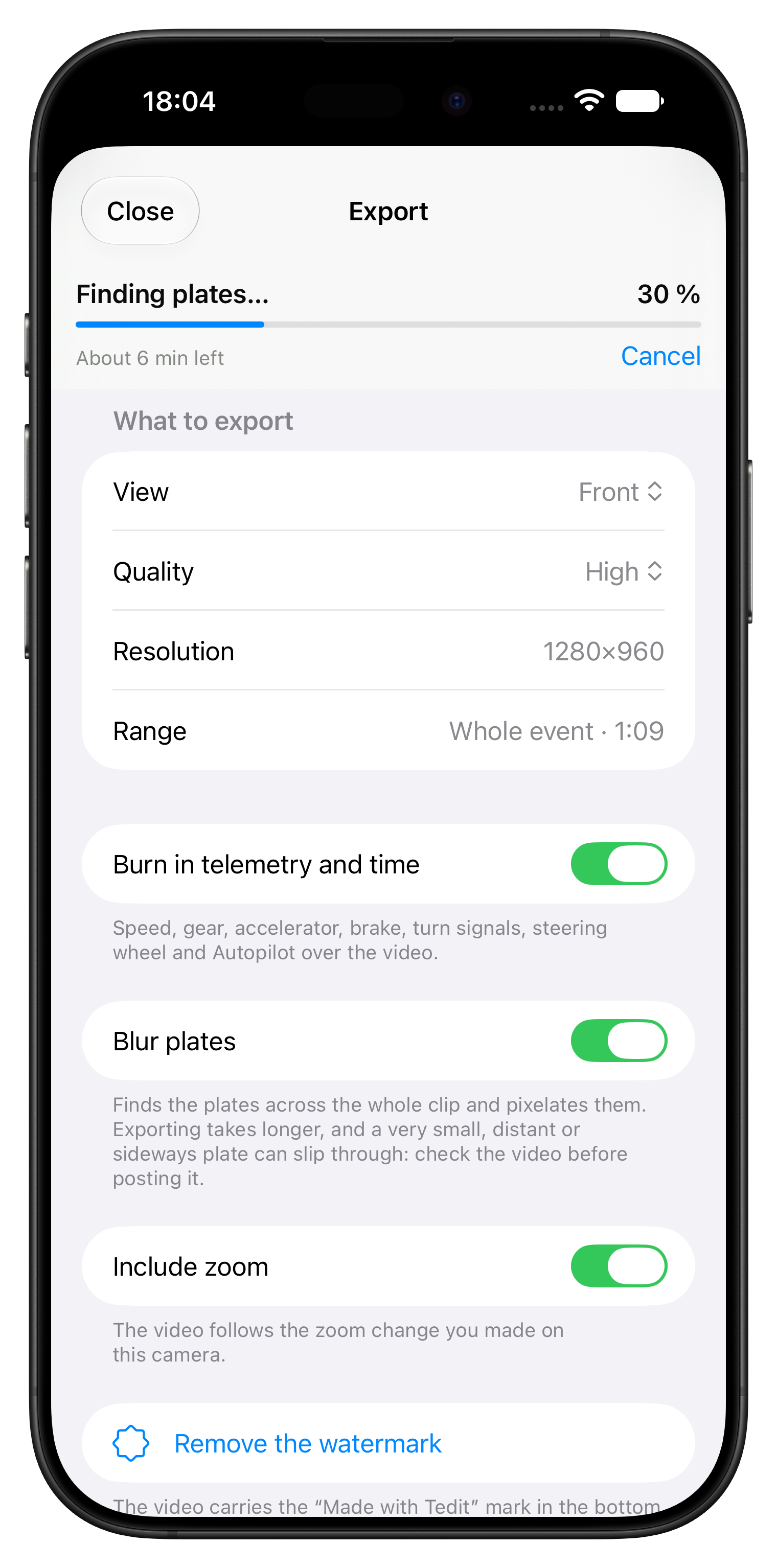
Pick the segment, the mosaic or a single camera, and whether to burn in the telemetry. Tedit can blur every plate in the video before you share it.
Read-only
Your drive stays untouched
Tedit reads the car's USB drive or your NAS but never deletes or changes anything. Everything is processed on your iPhone or iPad: no accounts, no servers, and your videos go nowhere unless you choose to share them.
Built for TeslaCam
Watch, understand, share
What you need to review an incident or show a drive, without a computer.
For iPhone, iPhone Duo and iPad
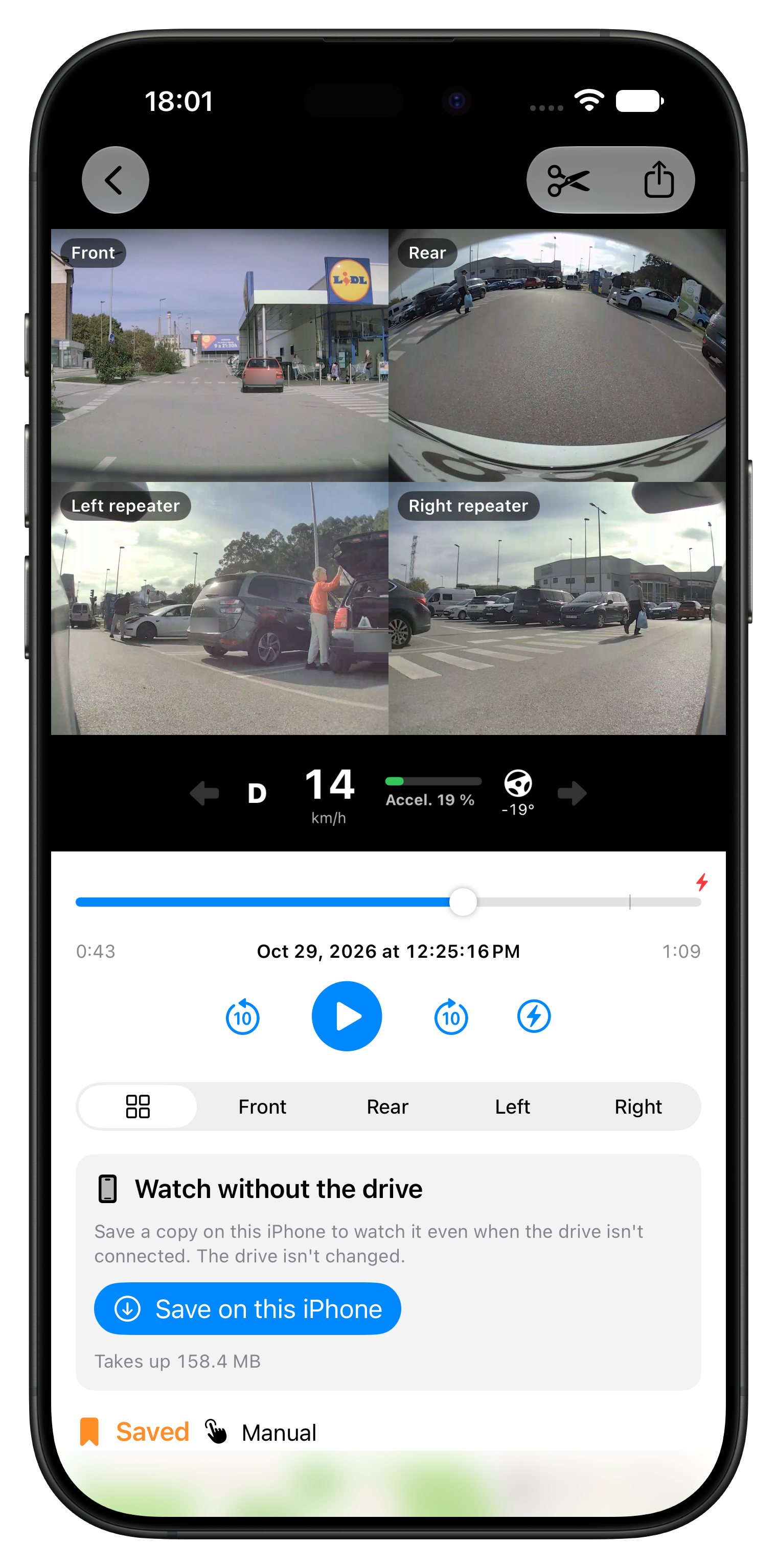
iPhone
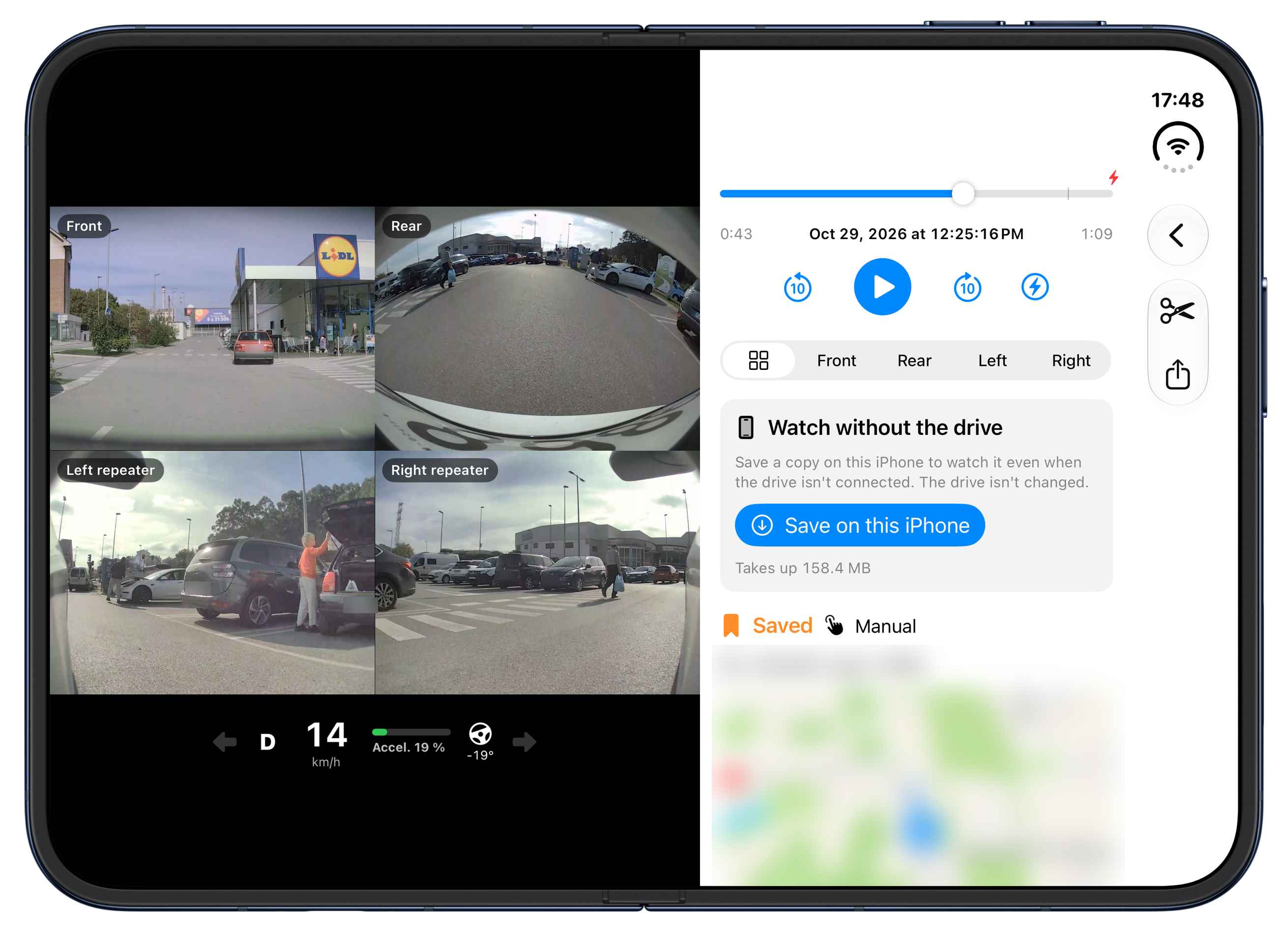
iPad / iPhone Duo
Frequently asked questions
What do I need to use it?
An iPhone or iPad running iOS 26 or later and the USB drive your Tesla records to. Plug it into the iPhone or iPad (with an adapter if needed) and pick the TeslaCam folder the first time; after that Tedit recognizes it on its own. It can also read recordings you copy to a NAS on your local network (SMB).
How much does it cost?
You get a free 30-day trial with everything open, which starts when you activate it and charges nothing when it ends. After that, watching recordings, exporting a whole event and saving it on your iPhone or iPad stay free; plate blurring, trimming, zoom and plate reading unlock with a single €0.99 payment, forever and with no subscription.
Can it damage the car's recordings?
No. Tedit only reads the drive: it never deletes, moves or modifies anything. Whatever you export or keep is created on your iPhone or iPad.
Do my videos leave my iPhone?
No, unless you decide so. Everything is processed on device and Tedit has no servers or accounts. They only leave if you share them with the share sheet.
Why do some clips have no telemetry?
Driving clips carry the car's data inside the video; Sentry clips don't, because the car is parked. If a clip doesn't have it, Tedit says so and shows only the date and time.
What about encrypted clips?
The car can encrypt its recordings, and Tedit can't play those clips: it shows them with a lock and their date. You can watch them in the car's Dashcam app or at dashcam.tesla.com. To record new ones unencrypted: in the car, Controls › Safety › Encrypt Dashcam Recordings.
Does it work on a foldable iPhone and on iPad?
Yes. It adapts to the iPhone in portrait and landscape, to the iPhone Duo folded or open, and to the iPad, with the list and the player side by side when there's room.
Are all plates blurred?
Tedit looks for plates across the whole segment, in the formats of many countries, and follows each vehicle while it is in shot. A very small, distant or sideways plate can slip through, and faces are not blurred, so check the video before posting it. Plate reading is tuned for Spanish plates.